







Job Centre and Invoicing
How to copy an invoice
The Copy Invoice function lets you duplicate an existing invoice, saving time when you need to create similar jobs. This guide shows you how.
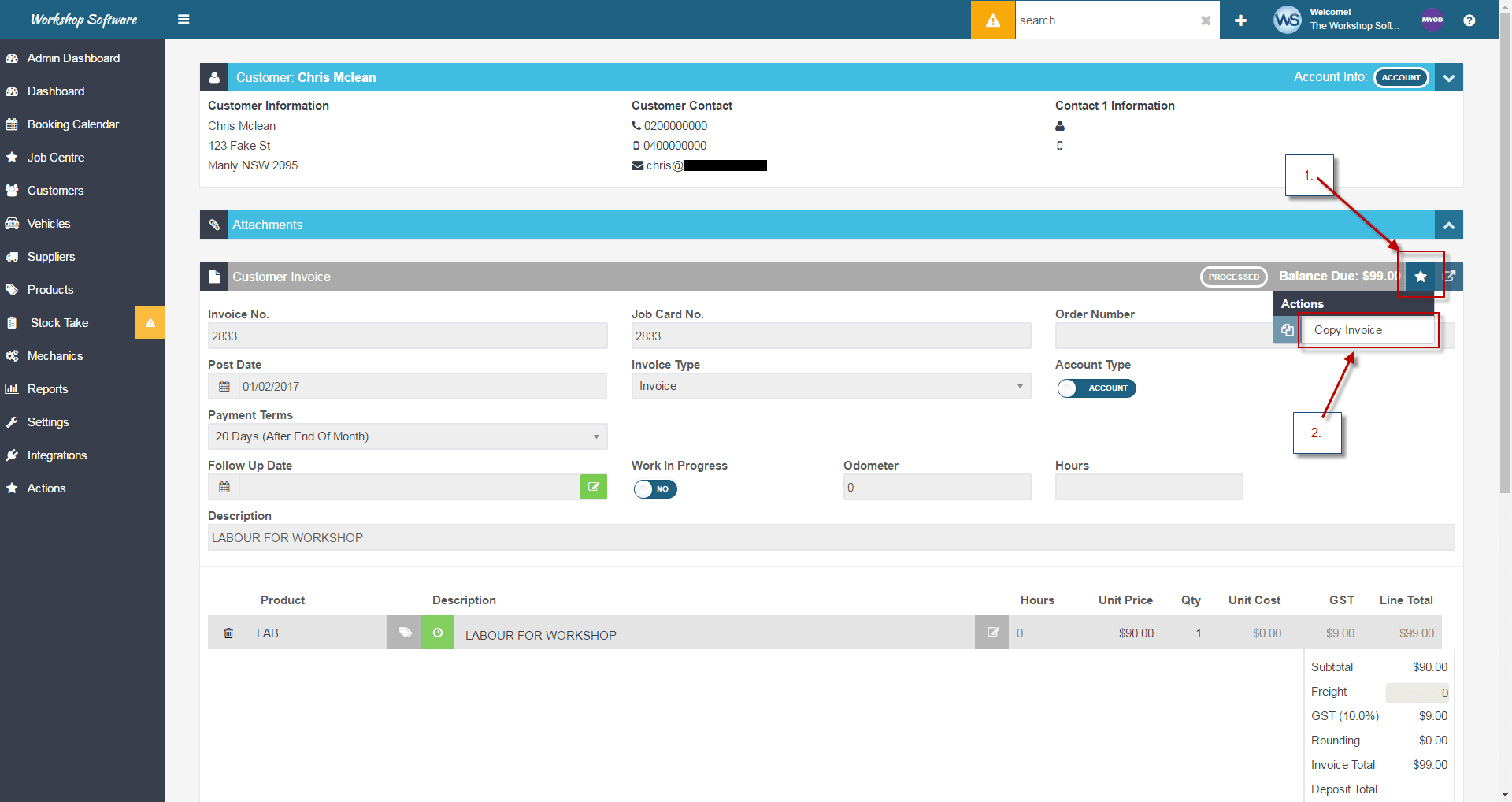
Step 1: Open the Action Menu
- Open the invoice you want to copy.
- Click the Actions star icon.
- Select Copy Invoice.
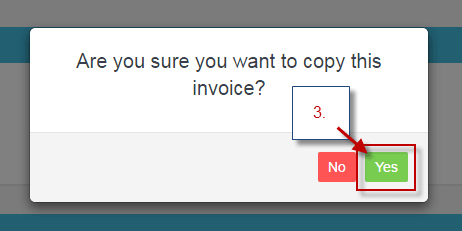
Step 2: Confirm the Copy
- Click Yes to confirm.
Step 3: Review the Copied Invoice
- A new invoice will be created that is identical to the original, except for the job number and invoice number.
- Edit the new invoice as needed before processing.
Good to Know
- If this is an invoice you create often for different customers, combine the Copy function with the Change Customer function.
- See Assign an Invoice to a Different Customer for details.
- To also copy attachments, see Copy Invoice With Attachments.
Related Articles
- Copy Invoice With Attachments
- Edit a Processed Invoice Using the Copy Button
- Add an Attachment to an Invoice