







Two-Way SMS Setup
Two-Way SMS is a powerful communication tool that allows your business to send and receive SMS messages directly from customers.
This feature helps you:
- Receive faster responses from customers
- Improve overall communication
- Allow customers to respond to your messages in real time
- Keep all SMS conversations organised within your system
With Two-Way SMS activated, your customers can simply reply to your text messages, and their responses will be visible within the platform.
How to Set Up Two-Way SMS
Follow the steps below to activate the feature:
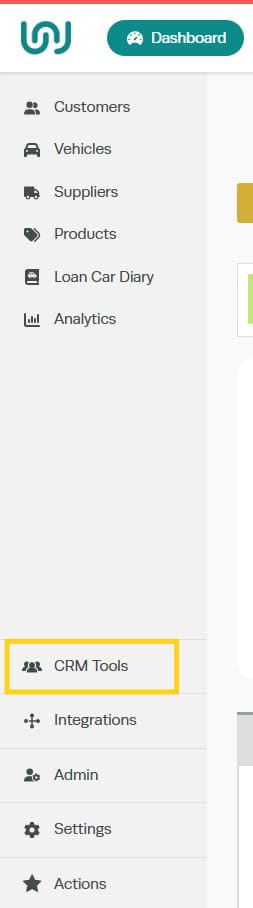
STEP 1: Click CRM Tools
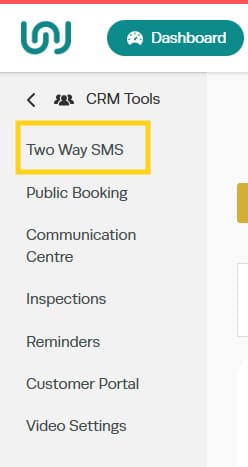
Step 2: Select Two-Way SMS
Step 3: Click Activate
Please note:
A setup fee and a monthly subscription fee will apply when activating Two-Way SMS. These charges will be added to your account accordingly.
Once activated, the setup process can take up to 48 hours to complete. You will receive a confirmation email once Two-Way SMS has been successfully set up and is ready to use.

Once you have activated Two-Way SMS, your screen will display a status message similar to the example shown.

You will see a notification advising that:
- The Two-Way SMS feature is currently awaiting activation
- Our support team is completing the setup of your dedicated phone number
- You will be notified once the feature is ready to use
During this stage, your number is being configured. Once setup is complete, you will receive a confirmation email, and you will then be able to send and receive SMS messages in real time.